Welcome to the Alaba Market Seller Platform! To help you manage your store effectively, this guide explains how our subscription plans work, what the limits mean for you, and how to maximize your sales potential.
1. Subscription Plans 📋
Your subscription plan determines the size and capacity of your store. We offer tiers tailored to different business sizes:
-
Free Plan (Default): Perfect for getting started.
-
Paid Plans (e.g., Starter, Pro, Business): Unlock higher limits and features.
Each plan comes with two key limits:
-
Max Active Products
-
Max Products Per Category
2. Unlocking the "Queue System" 🚀
We understand that you might have more stock than your current plan allows you to display at once. That's why we built a flexible Queue System.
🟢 Active vs. Pending Products
-
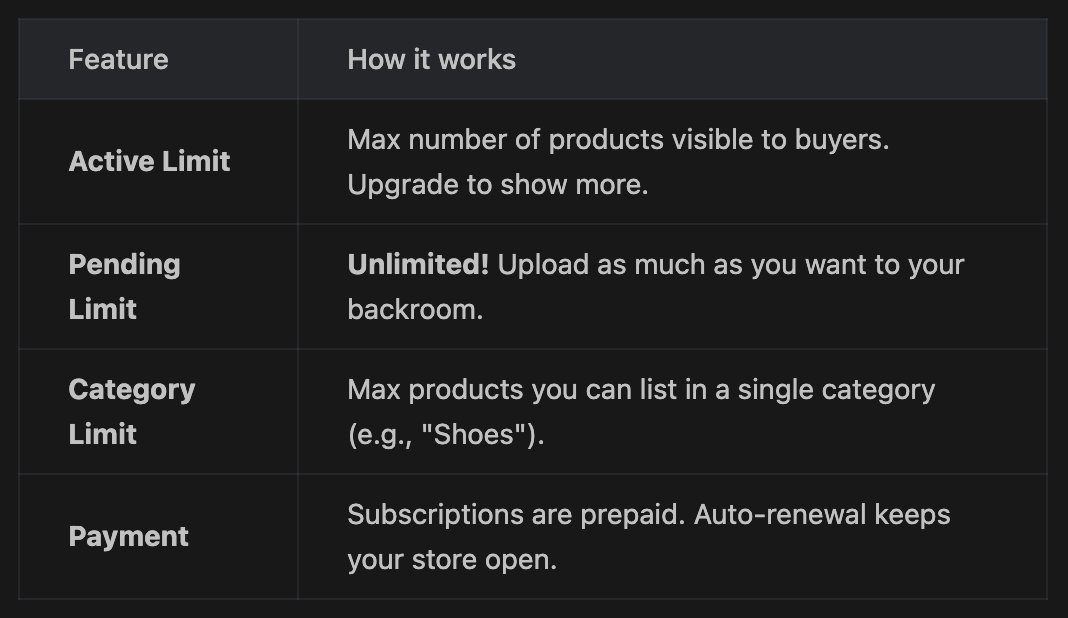
Active (Live) Products: These are visible to buyers on the marketplace. They count towards your Max Active Products.
-
Pending (Queue) Products: These are uploaded to your dashboard but hidden from buyers. You can have unlimited pending products!
💡 Strategy: Rotate Your Stock
You can upload your entire inventory (100+ items) as "Pending". Then, use your "Active" slots to showcase your best sellers.
-
Sold out of an item? Move it to Pending.
-
New arrival? Move a pending item to Active.
-
Example: If your plan allows 20 Active Products, you can keep 50 in your dashboard and choose which 20 are live at any time.
3. The Category Limit
To prevent spam and ensure a balanced marketplace for buyers, we enforce a Max Products Per Category limit.
-
What it means: You cannot fill your entire store with just one type of item (e.g., 50 variations of the exact same charging cable in the "Accessories" category).
-
Why? Browsing buyers want variety.
-
How it works: This limit applies to ALL your products (both Active and Pending). If your plan allows "5 Products Per Category", you can only have 5 items total in "Phones", 5 in "Laptops", etc.
-
Solution: Diversify your inventory! List items across different categories to maximize your reach.
4. Upgrading & Downgrading 🔄
-
Upgrading: When you upgrade, your limits increase immediately. You can instantly move more "Pending" items to "Live".
-
Downgrading/Expiration: If your plan expires or you downgrade to a smaller plan, the system will automatically pause your excess active products (moving them to Pending) to match your new lower limit. Your items are safe; they are just hidden until you renew.
Ready to grow? Check your "Subscription" tab in the app to see your current usage and upgrade options!